
Upcoming assignments
See the games you've been assigned to work — date, time, and location — without digging through texts.
The officials app
Now on the App Store & Google Play
Officials see their upcoming assignments, accept or decline games in a tap, block dates, and track their schedule — all from their phone, so officials always know what they're working and when.
The problem
When assignments live in text threads and email, the people working your games are the last to know what changed.
Assignment texts get missed, buried, or sent to the wrong number.
No single place to see everything they're scheduled to work.
Calling or emailing the office to ask what they've been paid.
Changes and accept/decline replies lost in group texts.
In the app
Everything an official needs to manage the games they work, in one place on their phone.
See the games you've been assigned to work — date, time, and location — without digging through texts.
Respond to an assignment right from the app, so your assignor knows where things stand immediately.
Mark the days you can't work ahead of time, so you don't get assigned games you can't make.
See everything you're working in one schedule, so nothing slips through the cracks.
Look up what you've been paid without calling the office. Bank details are managed on the web. See how payments work →
Get notified about new assignments and changes, so you're never the last to know.
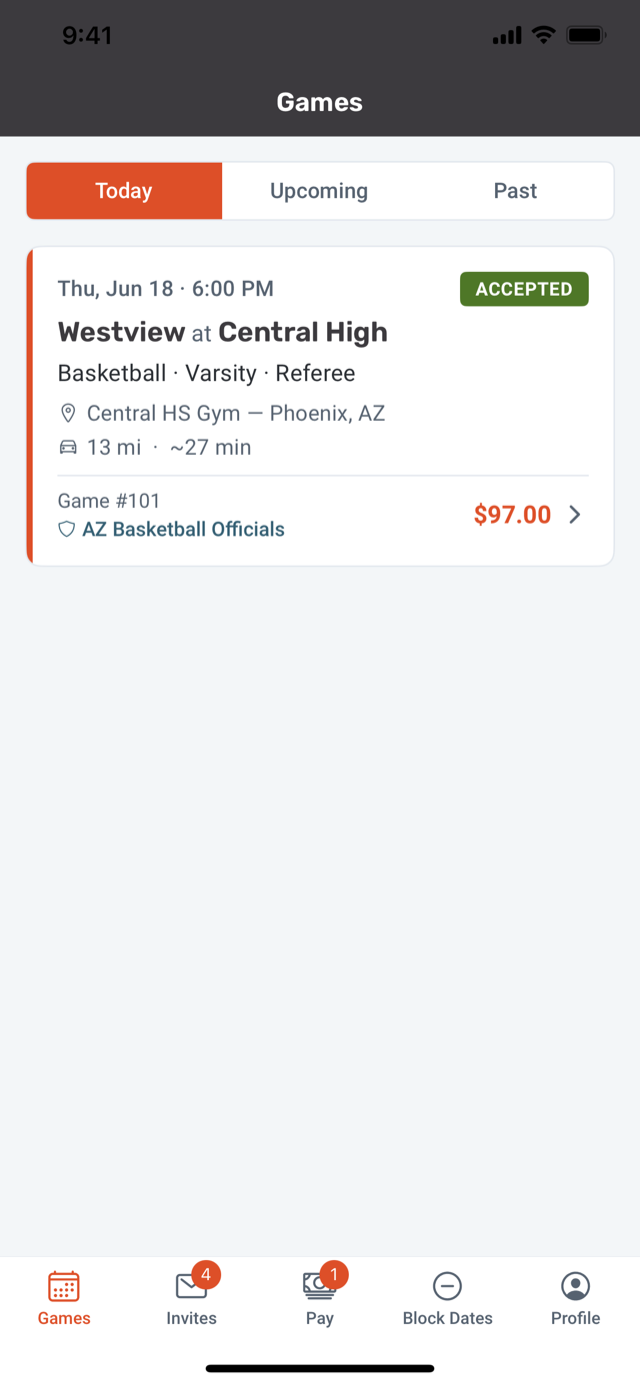
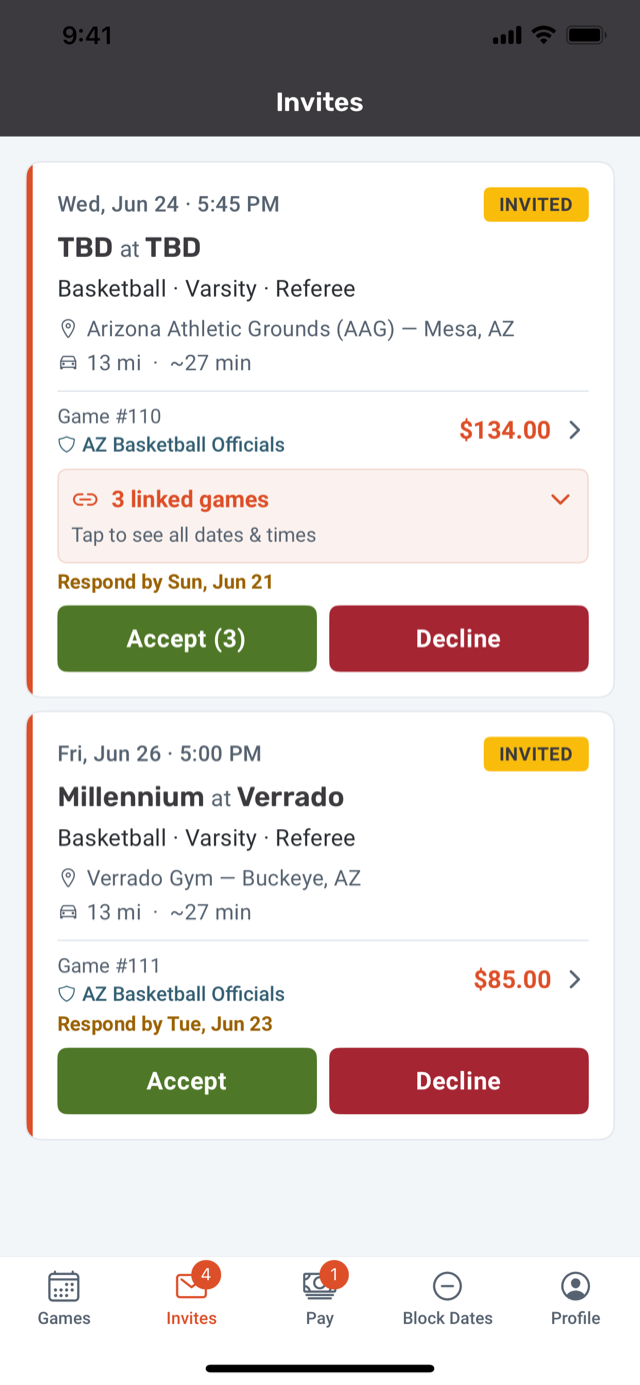
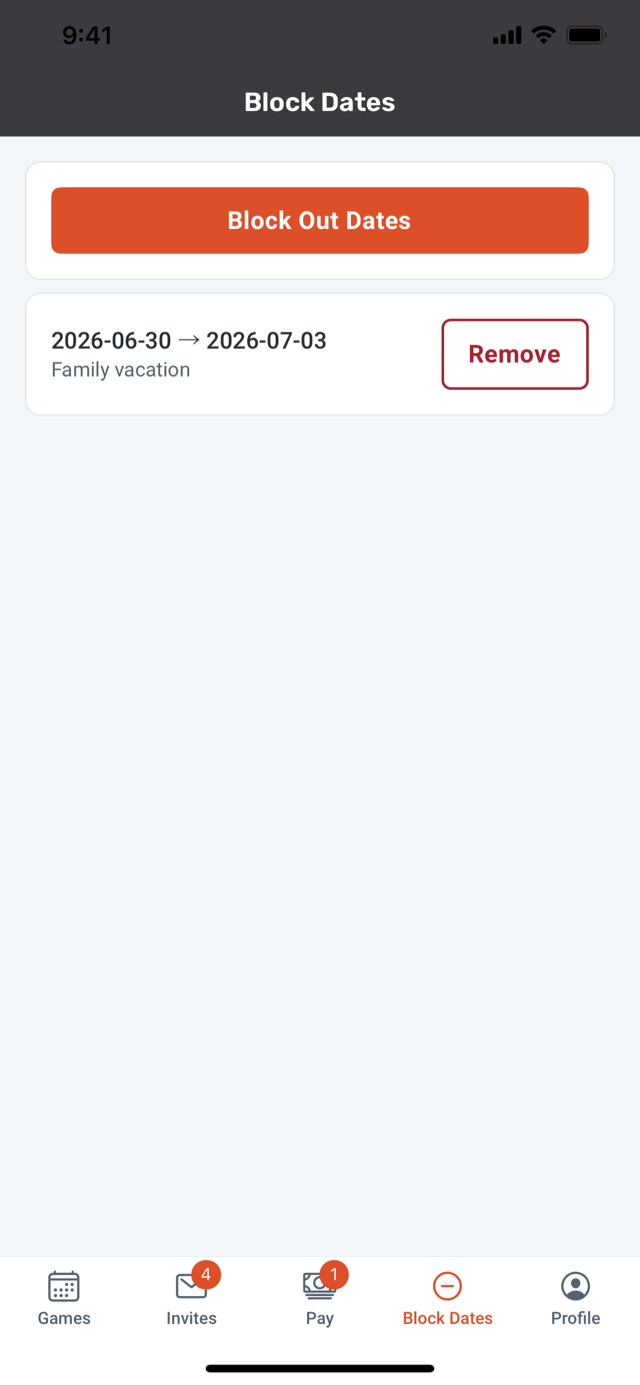
The GameSource mobile app for officials — available now on iOS and Android.
No app required
Every assignment goes out as a clean email with the game, time, location, position, and pay. Officials accept or decline right from the message — no login, no app, no chasing replies.

Assignment invite · #6203
Home game · Eagles vs Hawks
Assigned by Sam Rivera
Date
Saturday, June 27
Time
5–6:30p
Position
Up Ref
Level
Girls Varsity
Game fee
$45.00
Game ID
#6203
Memorial Gym
100 Stadium Dr, Phoenix, AZ 85001
13 mi · ~23 min drive
Get directions ↗
No login required — respond right from this invite.
Availability
Officials manage assignments, block dates, view schedules, and check pay from their phone.
The same app, on Google Play — assignments, schedules, availability, and pay.
Outcomes
Assignments, schedules, and changes live in one app instead of scattered texts.
Officials respond in the app, so your office isn't tracking down replies.
A tap confirms a game, so games get filled faster and with less back-and-forth.
Always in sync
Officials' work schedules sync to phones, tablets, computers, and Google Calendar.
Game invites, reminders, and messages reach officials by text and email.
Last-minute game and crew changes go out instantly, so no one's working from old info.
Questions
Yes — the app is available on the App Store and Google Play. Officials view assignments, accept or decline games, block dates, view their schedule, and check pay.
Officials can view upcoming assignments, accept or decline games, block dates and set availability, view their schedule, view payment history (read-only), and receive notifications.
Officials use it as part of your organization's GameSource account.
Start a free trial anytime, or talk to sales if you manage a larger organization, multi-school group, or complex migration.